
Pro Tip: Want a Head Start? You can build standard grids with the free version, but WP Team Manager Pro unlocks Smart Image Cropping, Popup Modals, and League Management instantly. Start Your 7-Day Free Trial – No Charge Today ->14 Days Money Back Guarantee!
The Popup feature in the WP Team Manager plugin allows you to showcase detailed team member information in a modern, interactive popup window. Instead of navigating to a separate profile page, visitors can instantly view the information without leaving the current page. This makes browsing faster, smoother, and more engaging.
Why Use the Popup Feature?
- Better User Experience – Visitors can quickly check multiple profiles without page reloads.
- Stylish Presentation – Clean, modal-style layout that looks professional.
- Time-Saving Navigation – Switch between profiles with ease.
- Mobile-Friendly – Works seamlessly on phones and tablets.
1. Edit Your Team Layout in Elementor
- Open your page in Elementor where the Team Isotope Layout widget is placed.
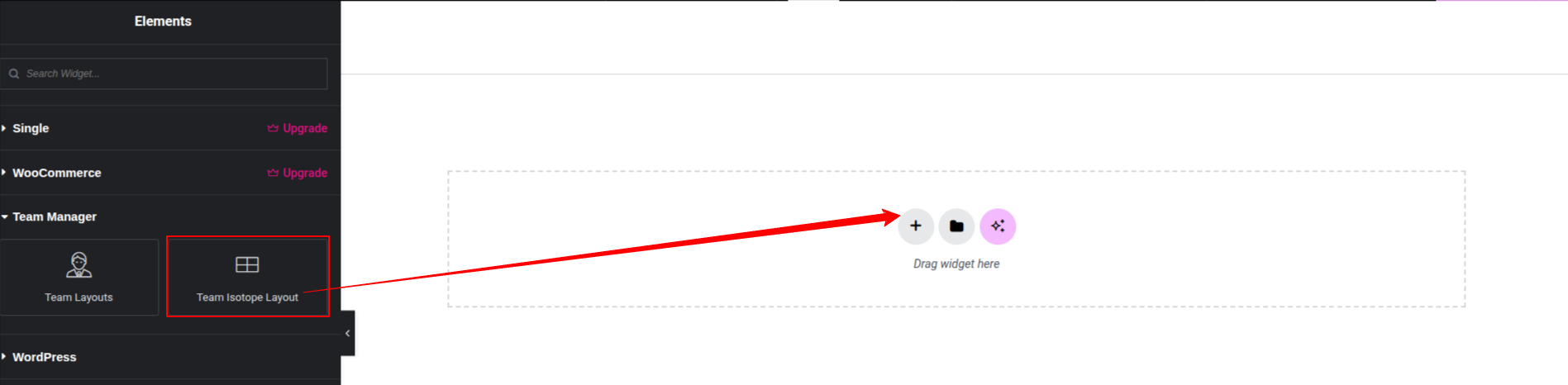
2. Go to the Settings tab.
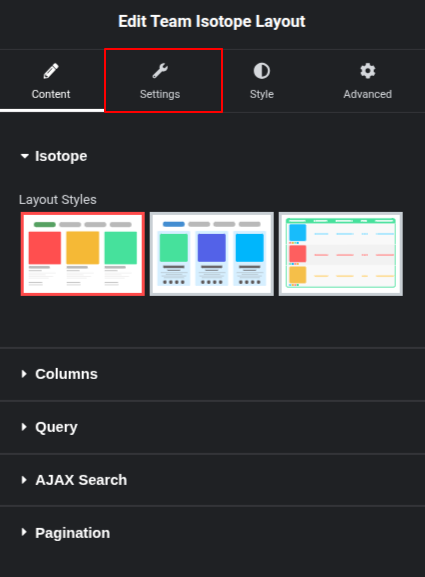
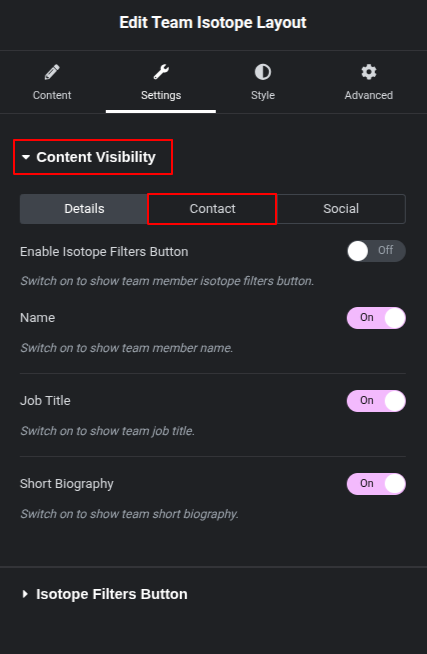
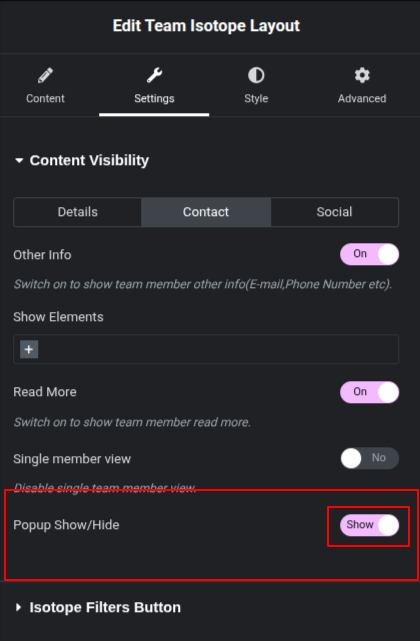
3. Click on the Content tab under Content Visibility.
4. Disable the single member view by clicking the switch button.
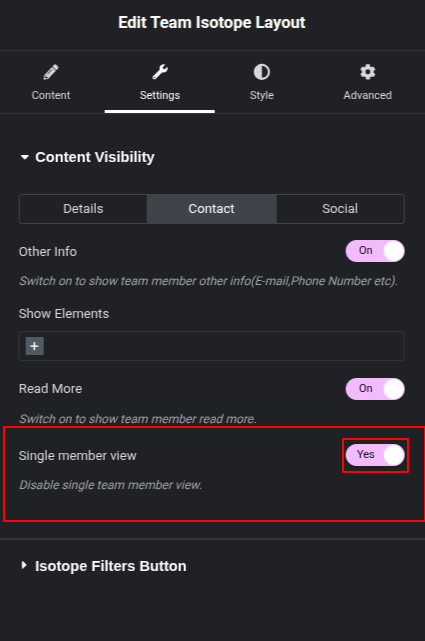
5. The popup will be shown below. You can hide or show it.
6. Save Your Changes
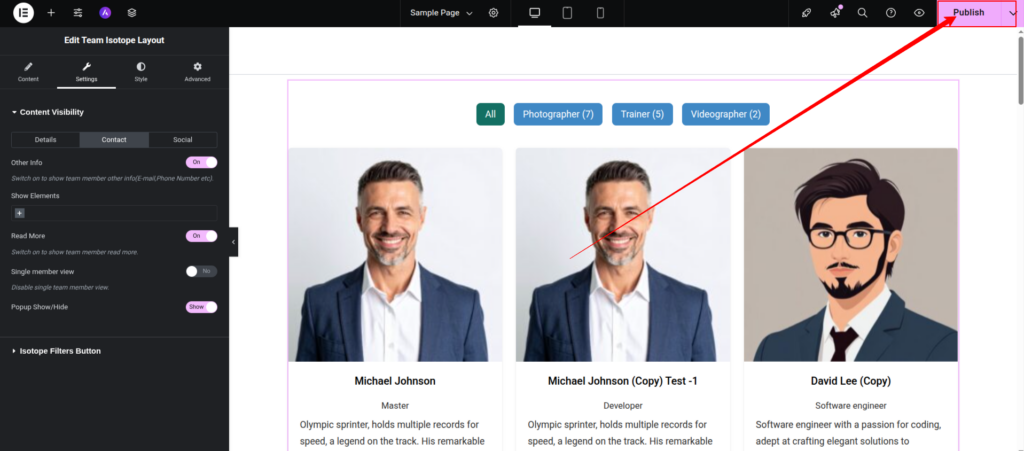
Click the Publish button in Elementor to apply your settings.
How the Popup Works
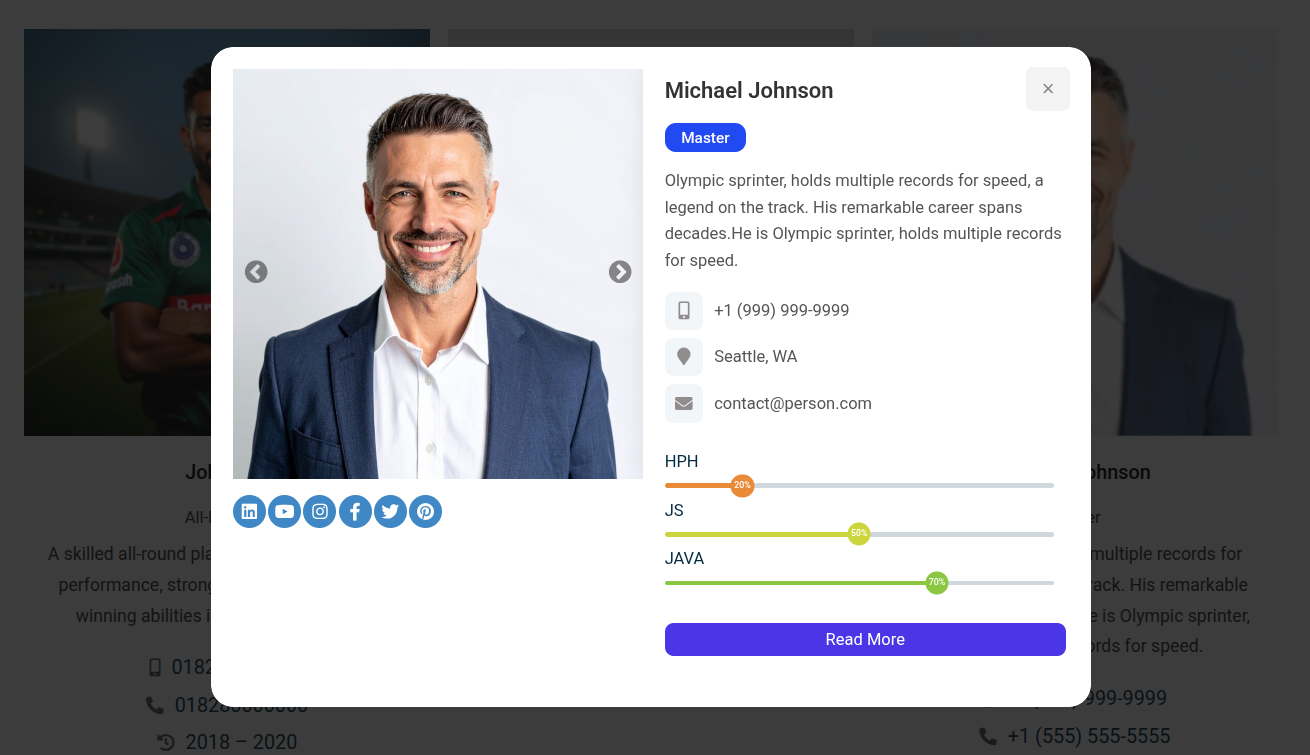
Once enabled, clicking on a team member’s image or name will open a popup window that displays:
- Profile picture
- Full name and designation
- Short biography or description
- Contact information (phone, email, location)
Social media links for quick connection
Example of an Active Popup:
Tips for Best Results
- High-Quality Images – Use clear, well-lit profile images to make the popup visually appealing.
- Concise Descriptions – Keep bios short but informative for quick reading.
- Consistent Social Links – Ensure all team members have the same style and format for links.
- Test on Mobile – Check the popup display on smaller screens for proper spacing and readability.